
使用python脚本,让open-webui支持阿里云、百度云deepseek-r1思维链/思考过程
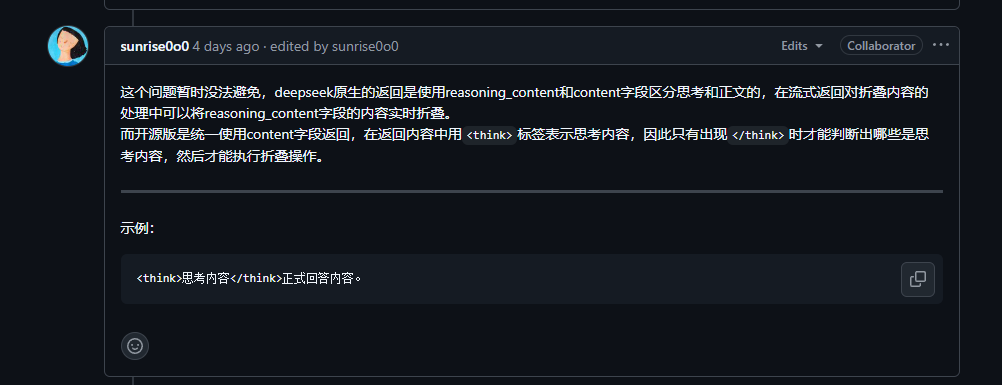
由于deepseek-r1的官方API并未完全遵循openai的接口开放规范,导致open-webui无法显示deepseek-r1的思考过程,现在撸了个python脚本,支持了阿里云、百度云(其他未实测)的deepseek-r1在open-webui上的使用,并且可以正常显示思维链
下面是为什么deepseek-r1无法在open-webui上显示思维过程的原因
解决方案
直接上python源码,注意修改备注内容
import time
import uuid

import tornado.ioloop
import tornado.web
import tornado.gen
import httpx
import json
import traceback

api_key = 'sk-xxx'  # API KEY, 必填, 自己修改
appid = ''  # APPID, 百度云可选Header
chat_completions_url = 'https://dashscope.aliyuncs.com/compatible-mode/v1/chat/completions'

class ModelsHandler(tornado.web.RequestHandler):
    # 用于在open-webui上添加api url过后显示模型列表
    async def get(self):
        self.write({
            'data': [
                {
                    "id": "deepseek-r1",
                    "object": "model",
                    "created": 1626777600,
                    "owned_by": "openai",
                    "permission": [{
                        "id": "modelperm-LwHkVFn8AcMItP432fKKDIKJ",
                        "object": "model_permission",
                        "created": 1626777600,
                        "allow_create_engine": True,
                        "allow_sampling": True,
                        "allow_logprobs": True,
                        "allow_search_indices": False,
                        "allow_view": True,
                        "allow_fine_tuning": False,
                        "organization": "*",
                        "group": None,
                        "is_blocking": False
                    }],
                    "root": "deepseek-r1",
                    "parent": None
                }
            ]
        })

class ChatHandler(tornado.web.RequestHandler):
    async def get(self):
        await self.post()

    async def post(self):
        self.set_header("Cache-Control", "no-cache")
        self.set_header("Content-Type", "text/event-stream")
        try:
            body_json = json.loads(self.request.body)
            await self.process_chat(body_json)
        except Exception as e:
            print(f"Error in post: {e}")
            self.set_status(500)
            self.write({"error": str(e)})

    async def process_chat(self, body_json):
        try:
            headers = {
                "Authorization": f"Bearer %s" % api_key,
                "appid": appid,
            }

            async with httpx.AsyncClient(timeout=None) as client:
                async with client.stream(
                        'POST',
                        chat_completions_url,
                        headers=headers,
                        json={
                            "model": "deepseek-r1",
                            "messages": body_json['messages'],
                            "stream": True
                        }
                ) as response:
                    think_start = False
                    think_end = False
                    write_data = ''
                    chat_id = str(uuid.uuid4())

                    async for line in response.aiter_lines():
                        if line.startswith('data: '):
                            try:
                                line = line[6:]
                                if line == '[DONE]':
                                    break
                                chunk = json.loads(line)
                                if not chunk:
                                    continue

                                delta = chunk['choices'][0]['delta']
                                reasoning_content = delta.get('reasoning_content', '') or delta.get('model_extra', {}).get('reasoning_content', '')
                                content = delta.get('content', '')

                                if reasoning_content:
                                    if not think_start:
                                        write_data += '<think>'
                                        think_start = True
                                    write_data += reasoning_content
                                elif content:
                                    if not think_end and think_start:
                                        write_data += '</think>'
                                        think_end = True
                                    write_data += content

                                json_data = {
                                    "id": "chatcmpl-%s" % chat_id,
                                    "choices": [{
                                        "delta": {
                                            "content": write_data,
                                            "role": "assistant"
                                        },
                                        "finish_reason": None,
                                        "index": 0
                                    }],
                                    "created": int(time.time()),
                                    "model": "deepseek-r1",
                                    "object": "chat.completion.chunk",
                                    "system_fingerprint": "fp_1dae2613a92e",
                                    "usage": None,
                                    "provider": "xiaoC"
                                }

                                self.write(f'data: {json.dumps(json_data)}\n\n')
                                await self.flush()
                                write_data = ''

                            except Exception as e:
                                traceback.print_exc()
                                print(f"Error processing chunk: {e}")
                                continue

        except Exception as e:
            traceback.print_exc()
            print(f"Error in process_chat: {e}")
            raise

def make_app():
    return tornado.web.Application([
        (r"/v1/chat/completions", ChatHandler),
        (r"/v1/models", ModelsHandler),
    ])

if __name__ == "__main__":
    app = make_app()
    app.listen(8701)
    print("Listening on http://localhost:8701")
    tornado.ioloop.IOLoop.current().start()
在部署 open-webui 上的机器上把这个 python 脚本跑起来(可能会提示需要一些包,自己使用 python3 -m pip install xxx 进行安装,这里不做赘述)
进入 open-webui → 管理员面板 → 设置 → 外部链接 → 在 管理OpenAI API连接 右边点击加号进行添加,输入 http://127.0.0.1:8701/v1(注意,如果你是docker容器内部署的 open-webui, 这里需要填写docker宿主机的ip,类似于 172.17.0.1, 具体地址请使用 ip addr 查看 docker0), 由于 密匙 已经写死在了 python 脚本中, 所以这里的 密匙 请随便填一个,当然你可以将python代码修改为这里传入的秘钥。
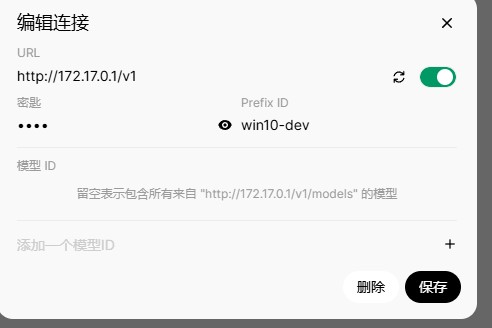
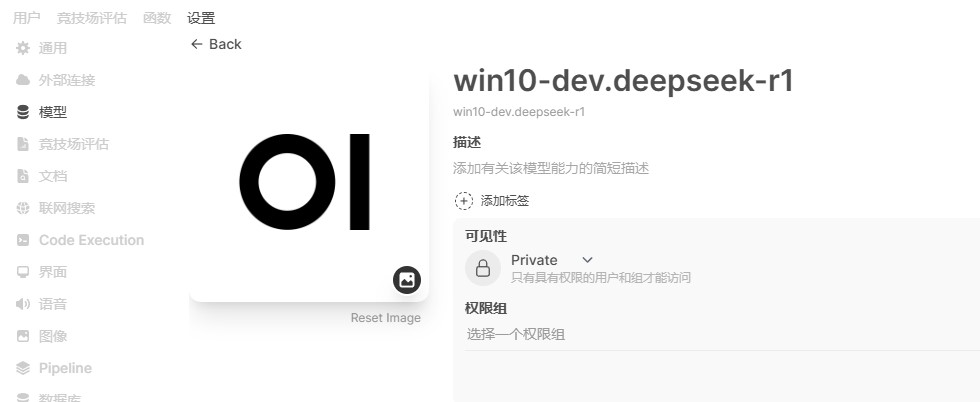
确定后,如果没有问题的话,在模型列表就会出现这个模型
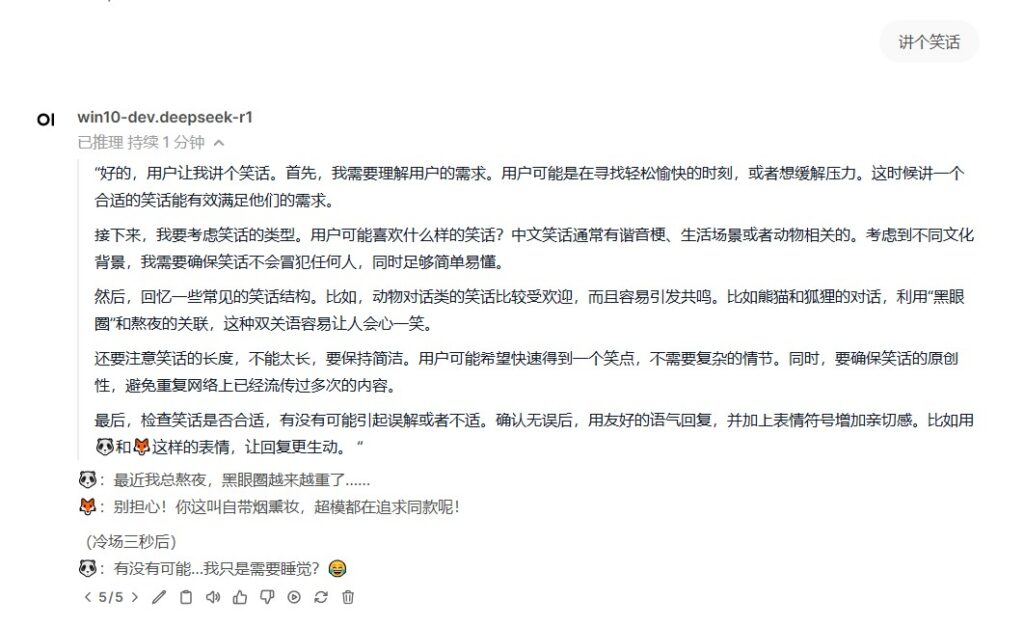
选择该模型,确认能正常使用。恩,AI依然还是不会讲笑话。
评论
还没有评论。
发表评论
提交后评论将经过自动审核,审核通过后公开展示。